
Table of Contents
ToggleIntroduction to Live Wallpapers
Hello friends, I hope you’re all doing well and having a great day! As Android users, we’re always looking for smarter ways to use our mobile phones. One of the easiest ways to enhance the look of our phones is by changing the wallpaper. A unique and beautiful wallpaper can make your phone stand out and look more attractive. But is there something that can truly take your phone’s aesthetic to the next level? Yes, and it’s called Live Wallpaper.
What is Transparent Live Wallpaper?
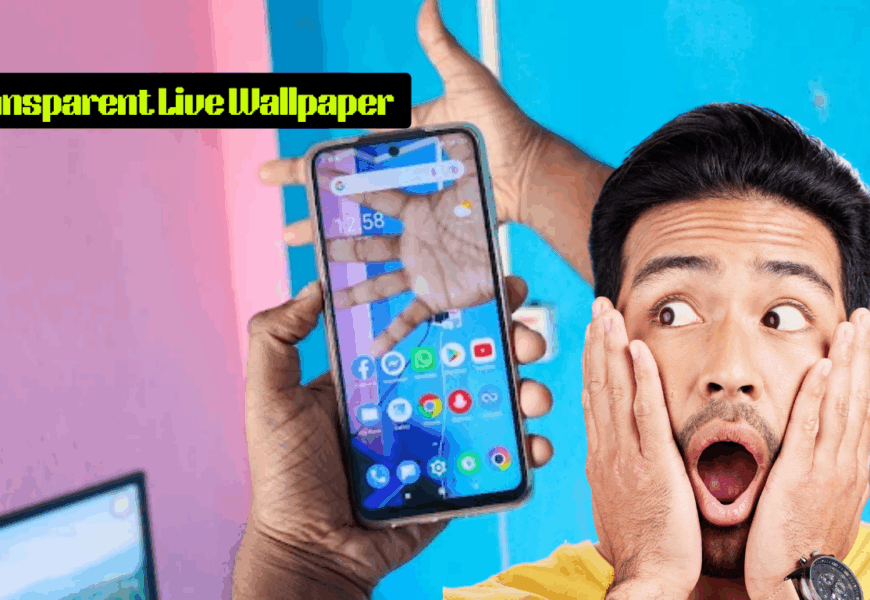
Today, I’m going to introduce you to a special type of wallpaper for Android phones—one that uses the back camera of your phone to create a transparent live wallpaper. It might sound unbelievable, but it’s true! With this wallpaper, your phone’s camera will actively display what’s behind it, giving the home screen a transparent look. This will certainly boost the beauty of your device.
Why Choose Transparent Live Wallpaper?
When you use this live wallpaper, the home screen of your phone will appear transparent. This transparent effect will make your phone look much more stylish and eye-catching. This is one of the best apps to create a transparent live wallpaper by using your phone’s back camera. It’s a fun and innovative way to personalize your mobile device.
Real-Time Environment Display
With this wallpaper active, you can walk around with your phone without worrying about bumping into anything, because the camera will always be active, showing the environment around you directly on your screen. You’ll be able to see what’s happening behind you through your phone’s home screen in real-time. This experience will amaze everyone who sees it!
How to Set Up Transparent Live Wallpaper
Setting up this app is simple and quick. Follow these steps to get your transparent live wallpaper up and running:
Download and Open: First, download and open the app on your mobile device.
Navigate the App: Tap the arrow icon a few times and then click Continue.
Select Wallpaper: Choose the Transparent Wallpaper option.
Grant Permissions: Tap Allow, and then click No Thanks when prompted.
Set the Wallpaper: Select Transparent Wallpaper again, then tap Set Wallpaper.
Apply to Screens: Choose the Home Screen and Lock Screen option, and voilà! Your new transparent live wallpaper will be set!
Features of Transparent Live Wallpaper
Here are the standout features that make this app a must-have for Android users:
Enhanced Aesthetics: Elevate your phone’s beauty with the Transparent Live Wallpaper app.
Camera Integration: Uses your phone’s back camera to create a transparent home screen effect.
Unique Interface: Provides a fresh and innovative interface for your mobile device.
Attention-Grabbing: The transparent effect will surprise and captivate everyone who sees it.
Conclusion
This is one of the most creative and visually stunning ways to make your mobile phone truly stand out. Try it out and enjoy a whole new experience with your Android device!